
Communication Aid Attributes
The I-ASC explanatory model visually represents a range of factors that should be considered in AAC decision making. One of these factors is Communication aid attributes. This means exploring and thinking about the hardware and software features of an AAC system that should be considered during assessment and decision-making. Although the I-ASC findings mainly focus on electronic communication aids, many of the key considerations also apply to paper-based and other non-electronic AAC systems. These considerations are explained further in the drop-down boxes below.
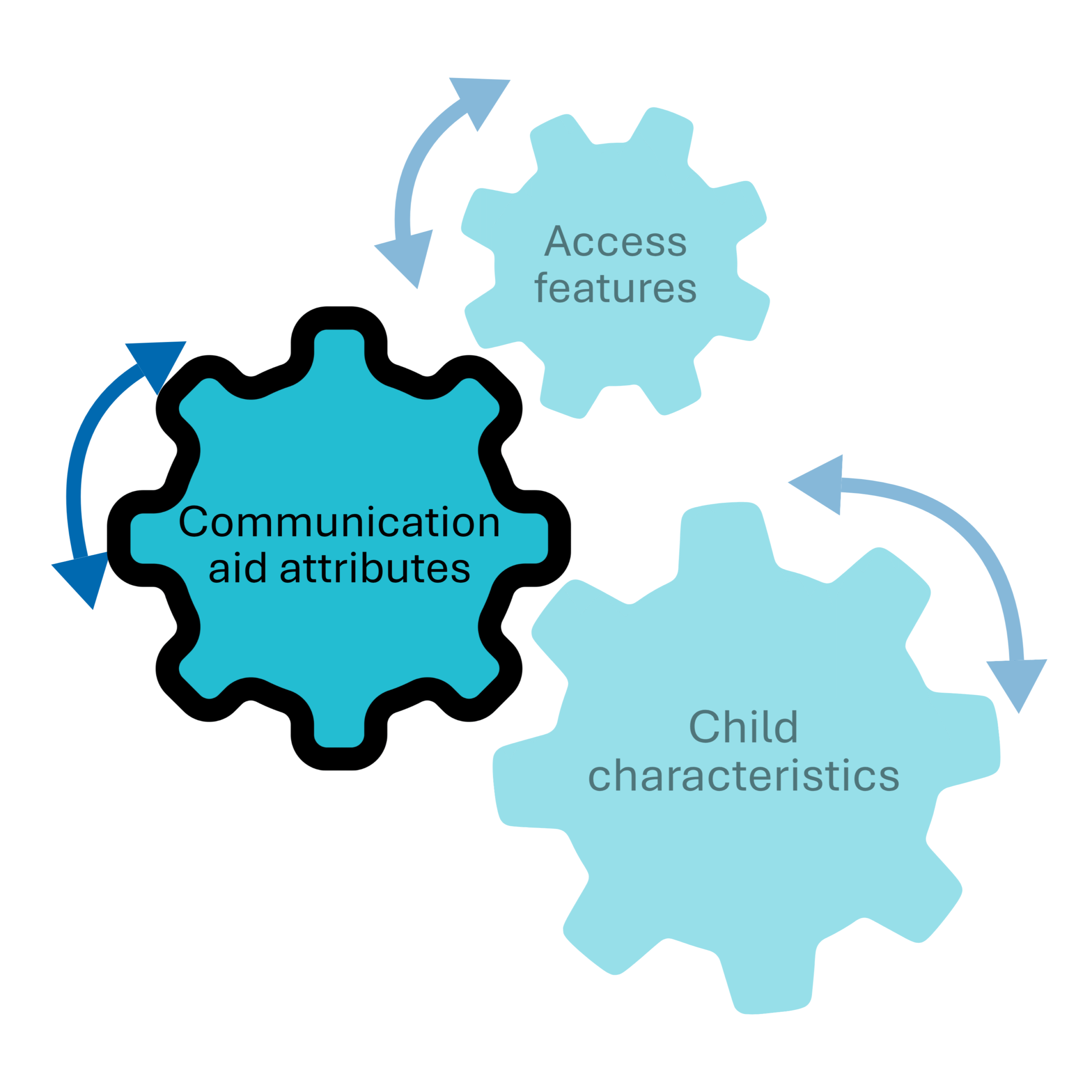
The elements that make up ‘Communication aid attributes’ are explained below – click on each heading to learn more
Please note: In this section, the term “child” is used broadly and may refer to an individual of any age. The original study was conducted with children and young people, however we have had considerable feedback that with a little modification of the content provided, there is relevance to individuals across their lifespan. We encourage you to consider minor adaptations to better suit your context.
Hardware refers to the physical parts of a communication aid that you can see and touch.
Software refers to the programs that control how a communication aid works and what it can do (e.g. communication apps).
Hardware aesthetics
What does this mean?
This refers to the visual appearance and form of a communication aid and the qualities of its voice output. The findings suggest that these features can influence decision-making, as users and stakeholders may have preferences about how a device looks and sounds.
Things to consider
Gather the views of all team members, including the AAC user, on the appearance, feel, and voice of the communication system.
Make sure that preferences related to these features, and the reasons behind them, are explored and taken into account when making decisions about AAC provision.
Tools and materials
ASC for AAC tools and materials:
Hardware reliability
What does this mean?
This refers to how consistently a communication aid works and how often it may stop functioning due to technical issues. The findings suggest that understanding the reliability of potential AAC systems is an important part of decision-making, as the communication aid needs to be dependable for everyday use.
Things to consider
Before recommending an AAC system, consider its reliability, including battery life and how well it can withstand everyday use, such as knocks and drops.
- Discuss what support is available if the system stops working. For example, any likely repair times, local backup arrangements (such as ensuring all vocabulary has been saved and transferred to a backup device), and access to alternative communication methods during this period.
Check what support the supplier provides, including technical assistance, warranties, and the availability of temporary replacement devices if repairs are needed.
Tools and materials
ASC for AAC tools and materials:
Other tools and materials:
Hardware data storage and processing
What does this mean?
This describes the communication aid’s memory, computing capability and overall performance, which support its features and day-to-day operation.
Things to consider
Be mindful of the system’s memory and storage capacity.
- Check the system’s ability to run multimedia files (e.g. videos), if that is important to the child or young person.
Make sure there is an agreed backup plan in place should the communication aid breakdown and that a nominated person is appropriately trained and confident to take on this responsibility.
Tools and materials
ASC for AAC tools and materials:
Software consistency and intuitiveness of design
What does this term mean?
This refers to how vocabulary is organised within an AAC system, including the consistency of page layouts and the steps needed to access words and messages. The findings suggest that AAC systems differ in how easily users can learn to navigate the vocabulary and use the system intuitively.
Things to consider
When selecting an AAC system, aim to choose one with a clear, consistent layout and intuitive navigation.
Systems that make it easy to find vocabulary and access functions can reduce cognitive load and support more efficient, independent communication for the child or young person. However, it is important to remember that what feels intuitive for one child or young person may not feel intuitive for another, so individual preferences, abilities, and experiences should be considered.
The most suitable system is one that matches the user’s needs and supports them to navigate and communicate as effectively as possible.
Tools and materials
ASC for AAC tools and materials:
Software ease of editing
What does this term mean?
Customisation and editing refer to how easy it is to personalise and update an AAC system. This includes adding or changing vocabulary, editing symbols, creating new pages, adjusting settings such as volume, and adapting the layout to meet individual needs.
The findings suggest that vocabulary is often extensively customised for individuals. The level of customisation required should be considered when selecting a system. While some children and young people may need extensive personalised vocabulary or significant layout modifications, others may require only little adaptation of a commercially available vocabulary package. Choosing a system that matches the expected level of customisation can help ensure it remains practical and effective over time.
Things to consider
When selecting AAC software, consider the balance between how easy it is to make changes and the amount of editing that is likely to be required. Some systems may be quick and simple to edit but offer fewer customisation options, while others provide extensive flexibility but may require more time and expertise to manage.
Consider who will be responsible for making updates and customisations during implementation, such as family members, education staff, therapists, or support workers.
Choosing a system that matches both the child’s needs and the skills, capacity, and resources of those supporting them can help ensure the AAC system remains up to date and effective over time.
Tools and materials
ASC for AAC tools and materials:
Other tools and materials:
Software graphic representation
What does this term mean?
This refers to how language is represented visually within an AAC system, including words, symbols, pictures and icons used to support communication.
The findings suggest that the type of graphic symbols (the pictures, symbols or other visual forms used to represent words and ideas) should be considered during AAC decision-making, although there were mixed views about how important the specific symbol set (the collection and style of symbols used within an AAC system) is. Some users may have clear preferences or find certain symbols easier to understand, while for others the overall organisation and use of the system may be more important than the symbol type itself.
Selecting symbols that meet the individual needs, experiences, and preferences of the child or young person can help support effective communication.
Things to consider
When discussing graphic symbol options, consider the potential memory demands placed on both the child or young person and those supporting them, particularly during the initial teaching and learning period.
Decisions about symbol representation should be informed by an assessment of the individual’s current symbolic understanding, communication skills, and learning preferences.
If a change in graphic symbol system is being considered, ensure there is a clear rationale, ideally based on the needs of the child or young person rather than the preferences of services or professionals.
When transitions between symbol systems are necessary, develop a plan to support the change and minimise disruption to communication. Similarly, consider how the AAC system can support progression from graphic symbols towards literacy where appropriate.
Aim to select symbols that are culturally and linguistically appropriate for the individual, including using symbol sets that reflect their local context and everyday experiences where possible.
Tools and materials
ASC for AAC tools and materials:
Other tools and materials:
Software vocabulary
What does this term mean?
This refers to the words, phrases and language structures available within an AAC system, and how they are organised so that users can find and use them to communicate. This includes how vocabulary is arranged, how words are grouped or linked, and how users access the language they need. The findings suggest that careful consideration should be given to both the content of the vocabulary and how it is organised.
Things to consider
When selecting vocabulary, consider the main purpose of the communication aid. For example, systems designed to augment existing speech may require different vocabulary choices from those intended to replace speech more completely.
Make sure there is sufficient access to both core vocabulary (high-frequency words / words used often everyday, that can be used across many situations) and fringe vocabulary (more specific or personalised words relevant to the individual’s interests, activities, and experiences).
The organisation and layout of vocabulary should take account of the child or young person’s learning style, abilities, and preferences. For example, some individuals may benefit from fixed vocabulary locations that support motor learning, while others may find dynamic layouts more appropriate.
Vocabulary should be both developmentally appropriate and age appropriate, reflecting the individual’s current communication needs while respecting their age and identity.
Vocabulary planning should consider not only present needs but also the individual’s future communication demands. It should ensure that the system can grow and adapt alongside the child or young person’s developing skills, interests, and environments.
Tools and materials
I-ASC Explanatory Model . I-ASC . ASC for AAC . I-ASC explanatory model of AAC decision making . Communication aid assessment . AAC assessment . ASC for AAC . Communication aid attributes . Communication aid attributes . Communication aid attributes .